Help center

Answers about OnDoc.ai

Photo and voice setup, the hosted patient library, specialty availability, and how plans and credits work.

Recommended resources

Start with the page that answers your question.
From your voice and photo to education patients can revisit
How it works

From your voice and photo to education patients can revisit

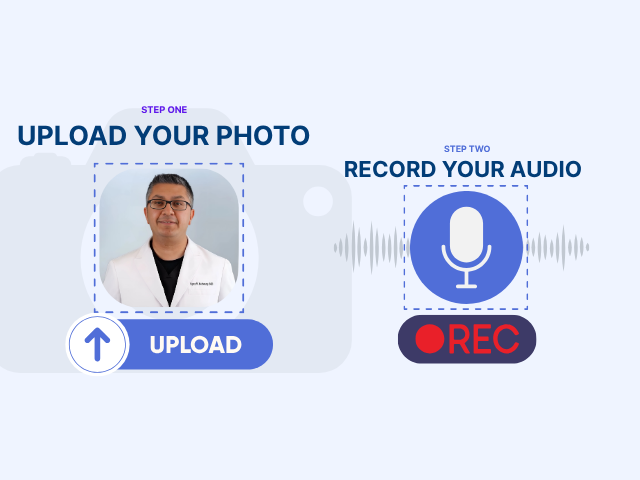
Physician consent and setup, eligible content selection, review and release, then hosted sharing by link or QR code.

See how it works
Physician plans, generation credits and agency partners
Pricing

Physician plans, generation credits and agency partners

Monthly and annual physician plans, how generation credits work, top-ups and expiry, and the separate agency offer.

See pricing
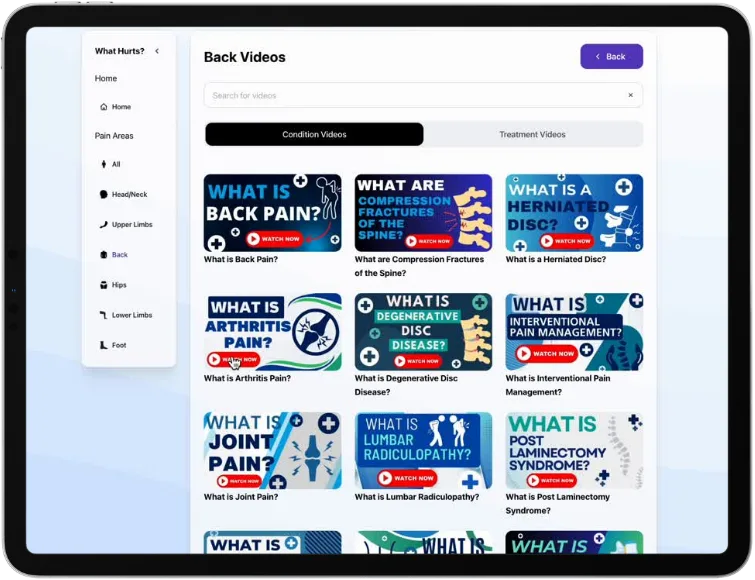
Pain management is the first library being prepared
First focus

Pain management is the first library being prepared

What is being prepared for launch, eligible English and Spanish versions, and which specialties are planned.

See pain management
Browse pain management topic previews
Topic previews

Browse pain management topic previews

Topic descriptions for the planned library. They are previews, not a released video catalog.

Browse topics
Book a demo for a live walkthrough
Demo

Book a demo for a live walkthrough

See the photo, voice and patient-library workflow and discuss eligible content and the right plan for your practice.

Book a demo

FAQ

Common questions before you start

Pain management is our first focus. Details that depend on your practice, such as eligible content and the right plan, are covered in a demo.

Still need help?

Book a demo or contact us.

A demo walks through the photo, voice and patient-library workflow for your practice. For other questions, use the contact page.